CARELINK
ROLE:
Student, UX Designer
SKILLS:
Research, Wireframe, Figma, Miro, Sketching, Prototyping, Information Architecture
TIME SPAN:
Dec-June
TEAM:
Jian Bautista
Problem
Despite the widespread availability of patient portals, many users, especially young adults (ages 18–35), rarely use them. Existing portals are often confusing, cluttered, or outdated, with poor mobile design, inconsistent features across systems, and limited motivation for infrequent users to engage. Older users (36+) also face challenges related to accessibility, trust, and clarity.
Solution
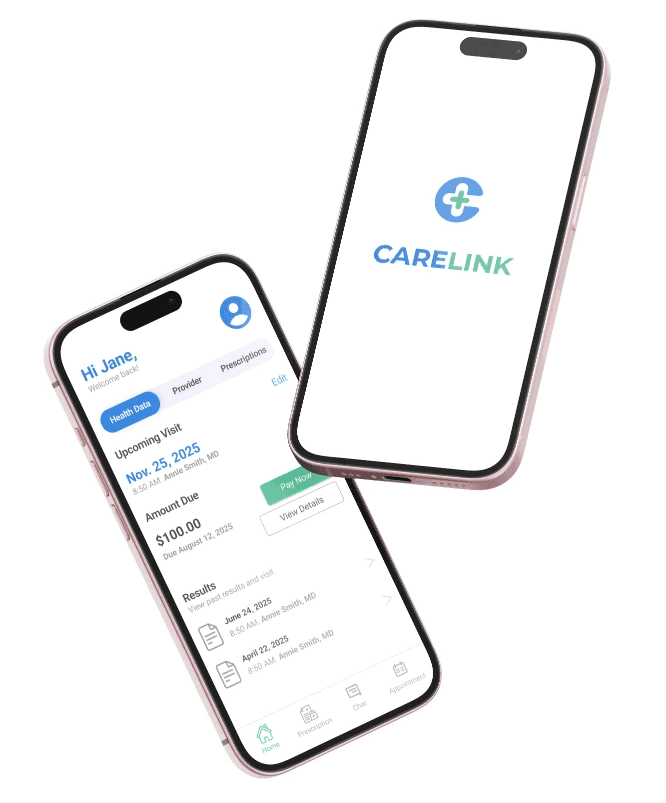
I designed CareLink, a mobile-first, streamlined patient portal that prioritizes the features users actually value: test results, appointment scheduling, messaging, and health records, while removing clutter and improving accessibility. Through user research, I created a simplified interface that supports both first-time users and infrequent log-ins, while also meeting the needs of older adults through clear navigation, larger touch targets, and trust-building design choices.
Project Brief
CareLink is a patient portal platform designed to simplify digital healthcare access for users of all ages, with a focus on increasing engagement among young adults. By combining user-centered research with mobile-first design, CareLink helps patients easily view test results, schedule appointments, and communicate with providers without the clutter or confusion of traditional portals.
Simple Access. Smarter Health.

Target Audience
Young adults new to managing their own care: Individuals aged 18–35 who are insured but often disengaged with healthcare portals; they want quick, mobile access to appointments, results, and messages without frustration.
Busy or infrequent healthcare users: People who only log in when something urgent comes up (like a test result or follow-up), and need the portal to be clear, fast, and easy every time.
Adults aged 36 and older: Users who engage more regularly with healthcare but value simplicity, reliability, and support when navigating digital platforms.
Action
I followed a user-centered research and iteration process, conducting mixed-methods research, analyzing and synthesizing data, creating personas, establishing design principles, and ideating UX solutions before documenting and reflecting on the entire experience.
1
Competitive
Analysis
2
Research
3
Analyze &
Synthesize
4
Persona
5
Styleguide
6
Prototype
competitive analysis
Since I was designing a solution within an existing product category, I conducted a competitive analysis of popular patient portal apps: MyChart, AthenaPatient, and Quest Diagnostics, to evaluate their strengths, weaknesses, and identify opportunities for improvement.
Comparison
Overall Comparison
Likes: All three apps allow users to access health information digitally, view lab results, schedule appointments (where supported), and securely message providers.
Dislikes: Inconsistent user experiences across systems, limited features depending on provider setup, outdated or cluttered interfaces, and lack of a unified, all-in-one solution.
Research
Interviews: Conducted in-depth interviews to gather detailed insights into participants' experiences and preferences. I interviewed 11 participants in total.
Survey: Opened google form survey and Pollfish survey, resulting in 175 responses
Google Forms: 75
PollFish: 100 (66 finished the poll vs 34 did not due to participants not using patient portals.)

4 Females
Ages 24-26

7 Males
ages 24-29
Interview
8
26–35
years old
17
18–25
years old
75
36+
years old
42
26–35
years old
23
18–25
years old
10
36+
years old
Google Forms: 75
PollFish: 100
Analyze & Synthesize
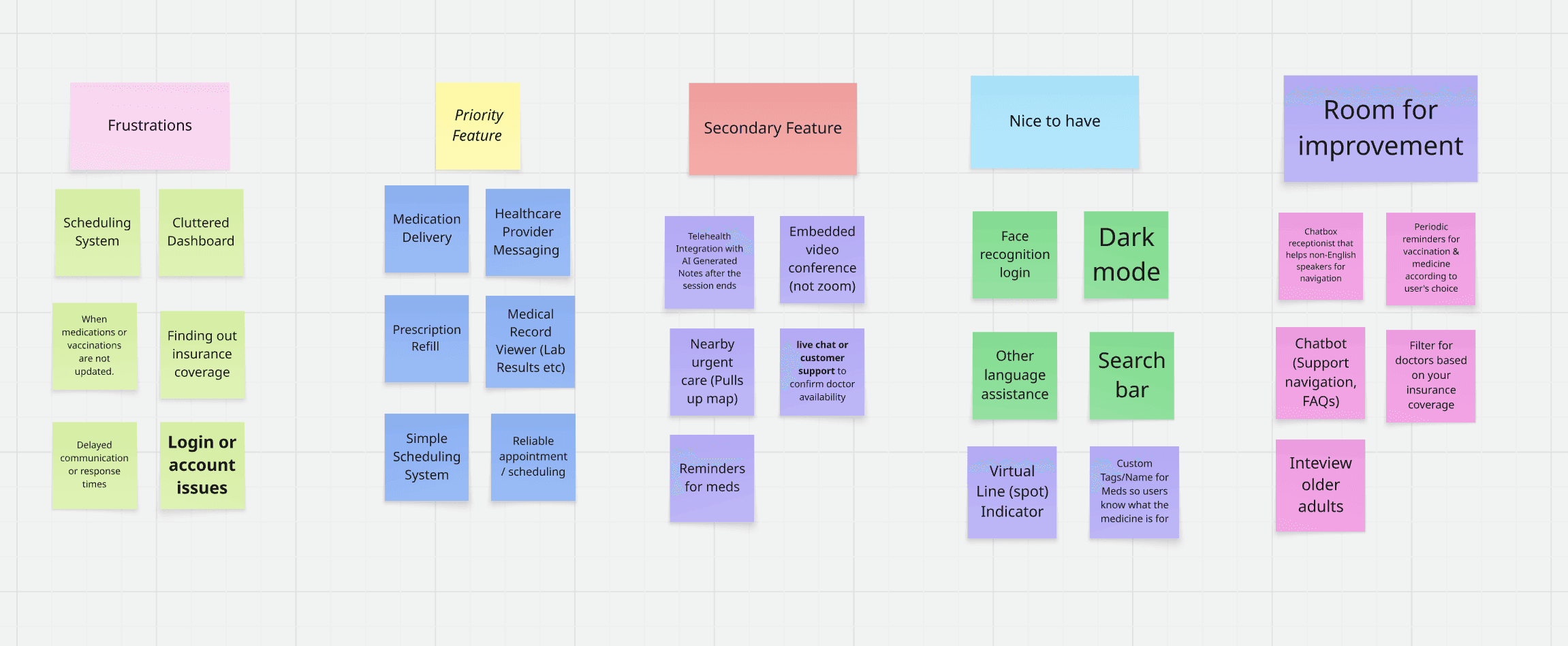
All data sources (interviews + surveys) reveal that while many users are comfortable with digital tools, patient portals are often underused due to design friction, unclear features, and gaps in communication. Scheduling, messaging, and cost transparency are recurring pain points. Simplicity, reliability, and personalization are key drivers of engagement.
Key Pain Points

Prescription Management is an absolute headache
If i had a better experience scheduling through my portal, I would use it but I prefer over the phone scheduling
There are moments where I feel overwhelmed and anxious when some healthcare websites don’t have any pricing listed on their site.
Persona
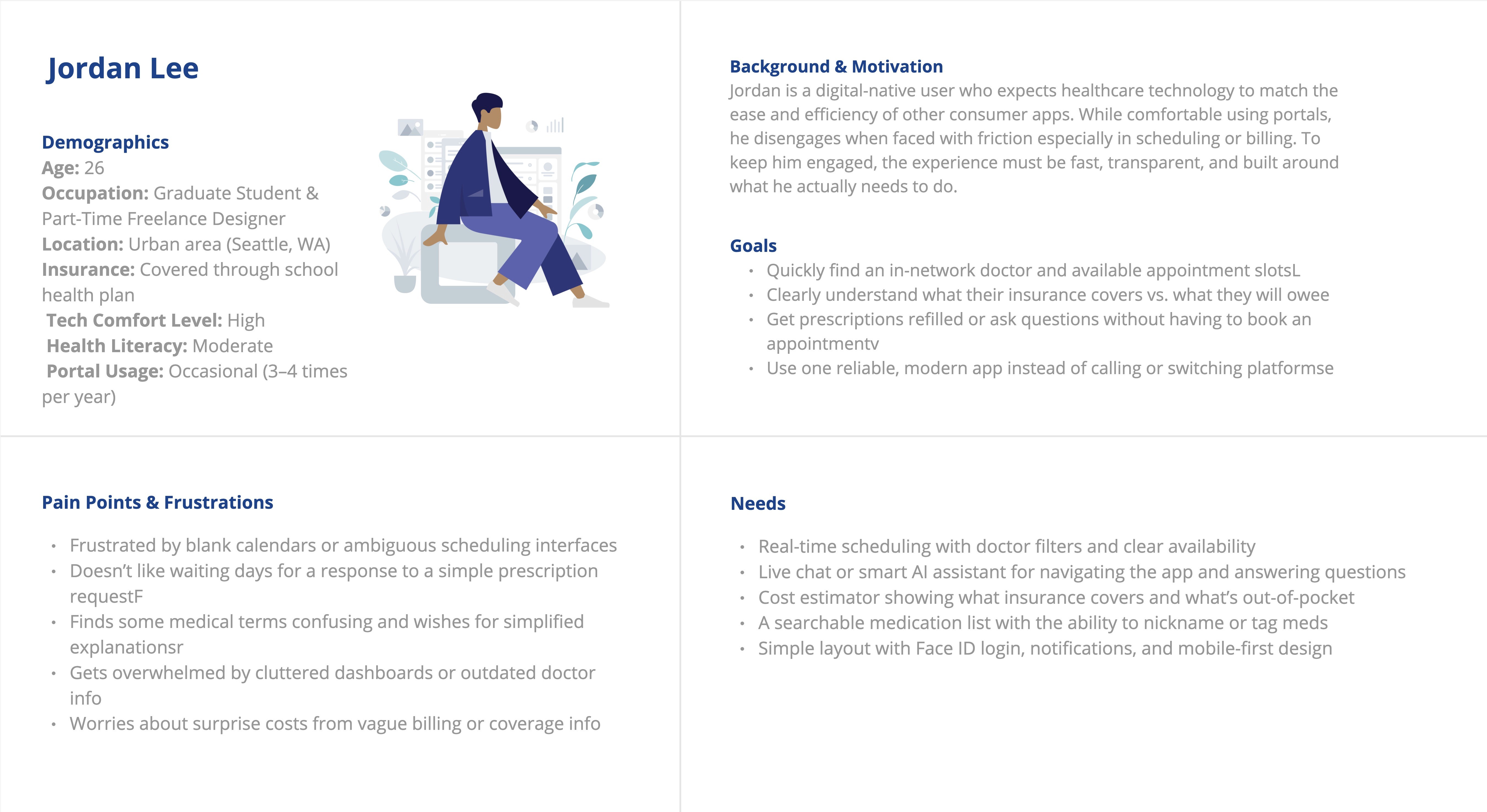
I created my persona based on survey and interview data from 175 participants, focusing on patterns in behavior, usage frequency, and pain points. By synthesizing this data, I identified common traits among under-engaged young adults to inform a realistic and relevant user profile.
Design Development
I used insights from my research to guide the structure, layout, and feature prioritization of the patient portal. The design focused on a mobile-first interface, with streamlined access to test results, appointment scheduling, and provider messaging, supported by a clean visual hierarchy and simplified user flow tailored for both infrequent young users and older adults seeking clarity and trust.
Important Features
From top down, these are the features that was emphasized in both poll and interview
Viewing Test Results
Scheduling Appointments
Messaging Providers
Cost Transparency
Prescription Refill Request

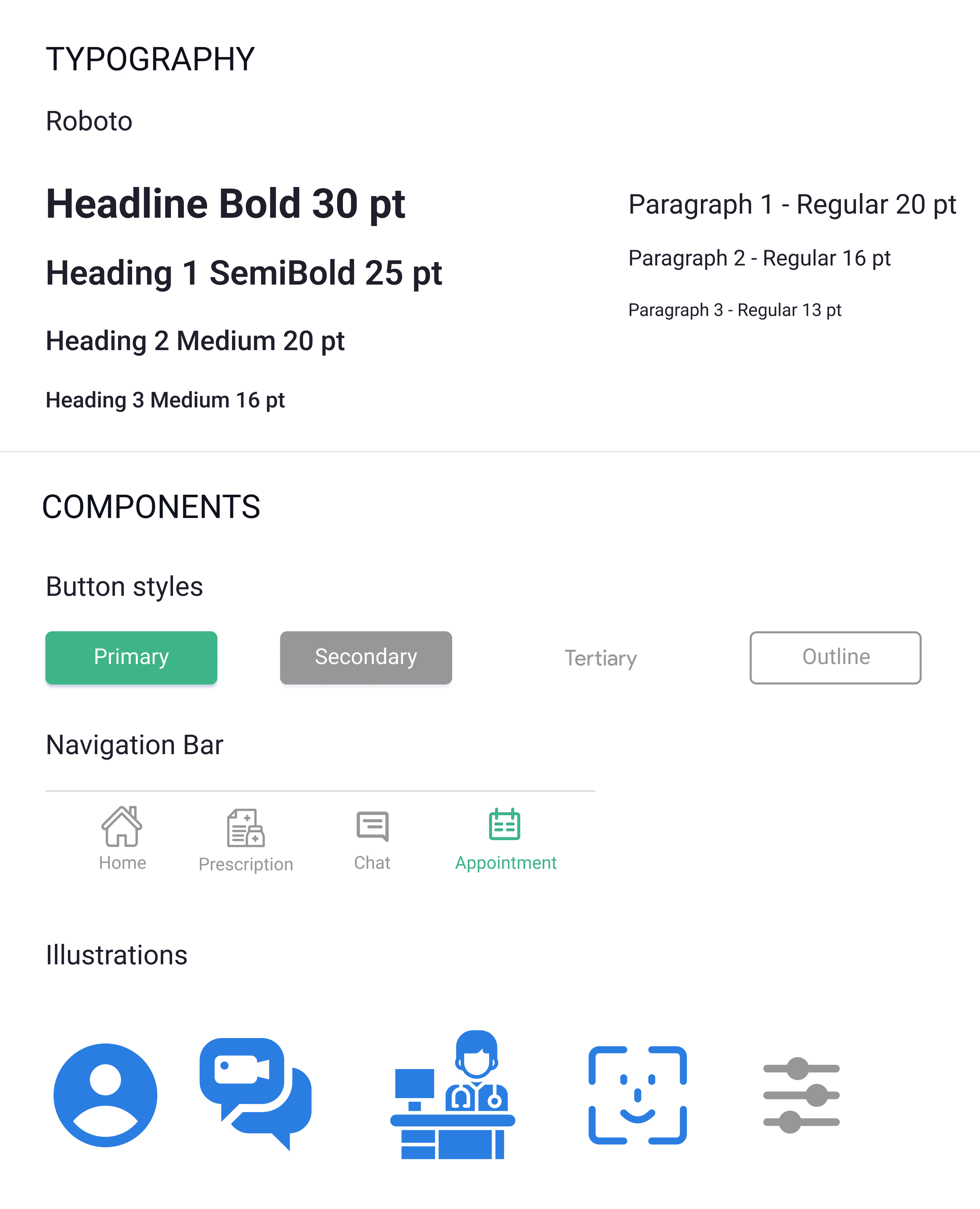
Branding
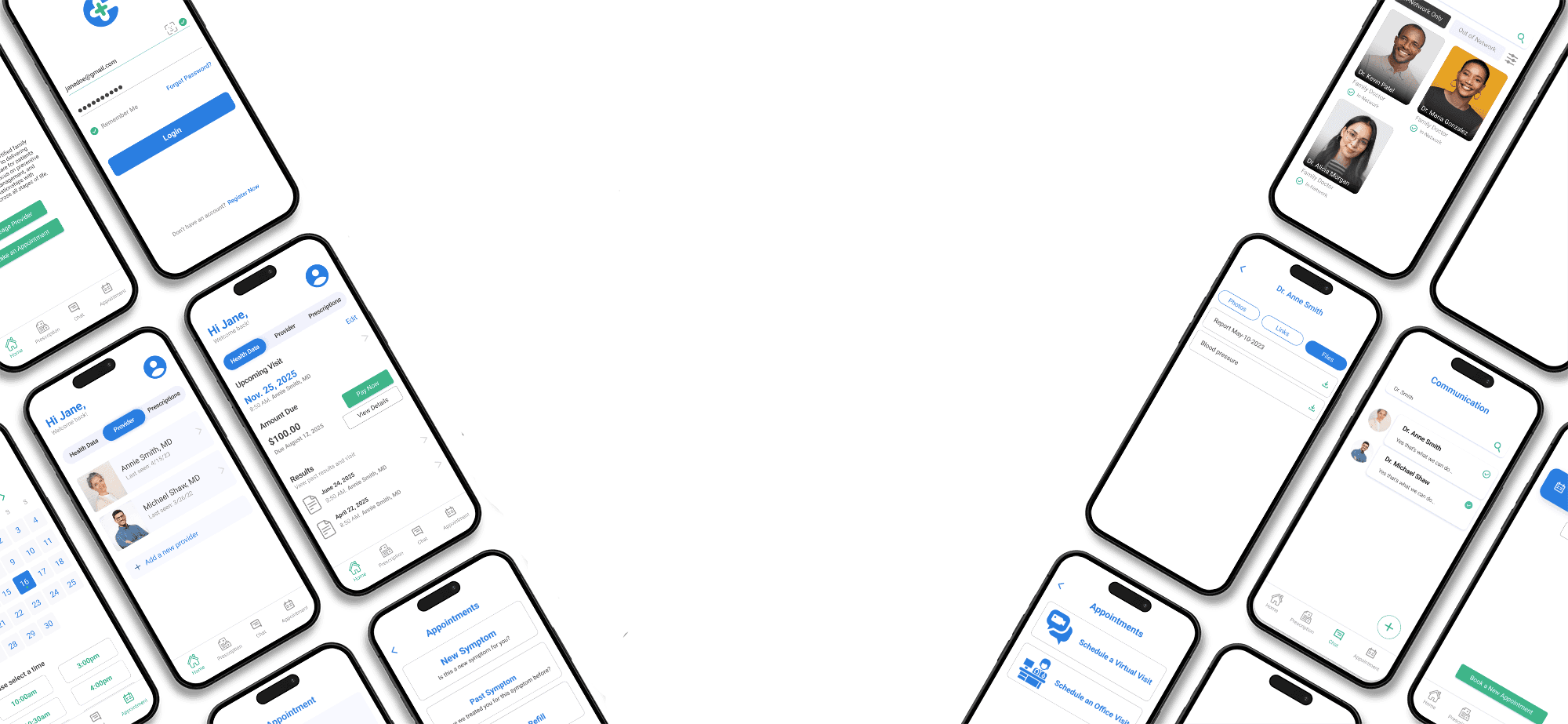
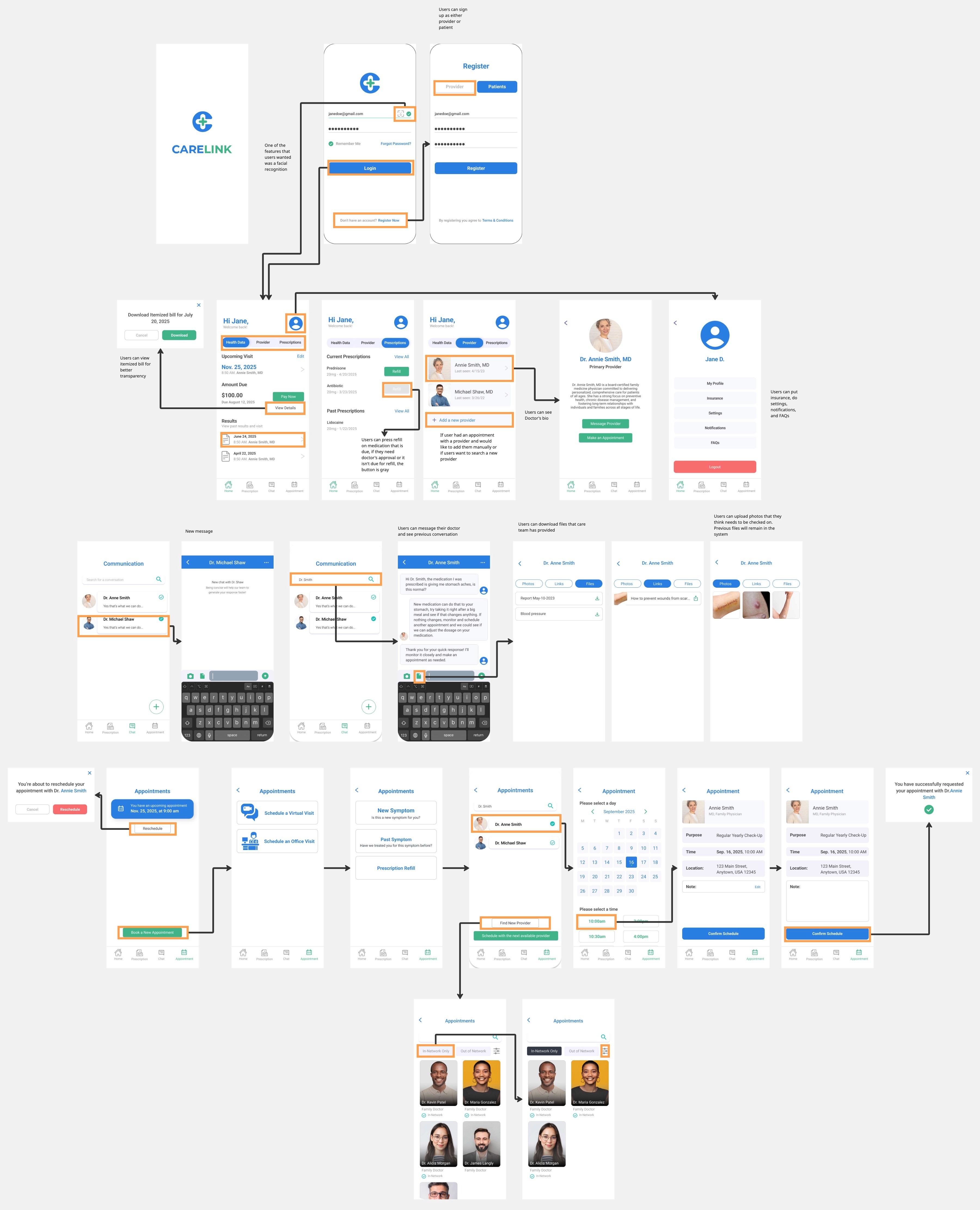
High Fidelity Prototype & Annotation
Lessons Learned
User behavior defies assumptions:
Young adults aren’t avoiding portals because of tech barriers, they just don’t see the value. Design must address motivation, not just usability.
Simplicity beats feature overload:
Users prefer a few well-executed features (like test results and scheduling) over a cluttered, all-in-one system.
First impressions matter:
A user’s first experience with a portal strongly influences whether they return. Onboarding and early interaction must be seamless.
Design must be age-inclusive:
Users 36+ value clarity and trust. Good design should work for all age groups without sacrificing accessibility.
Silence doesn’t equal satisfaction:
Even users who report “no issues” may quietly disengage. Open comments revealed hidden frustrations with login, clutter, and privacy.
Next Steps
Conduct additional research with users aged 50+ to better understand the accessibility and usability needs of older adults, who were underrepresented in the initial dataset.
Interview healthcare providers and staff to gain insight into the provider-facing side of patient portals and identify opportunities to improve communication and workflow from both ends.
Test a high-fidelity prototype of the CareLink portal based on the research findings and design recommendations, focusing on mobile usability and accessibility.
Develop additional features such as personalized health reminders, improved onboarding, and built-in user support tools to support long-term engagement and trust.