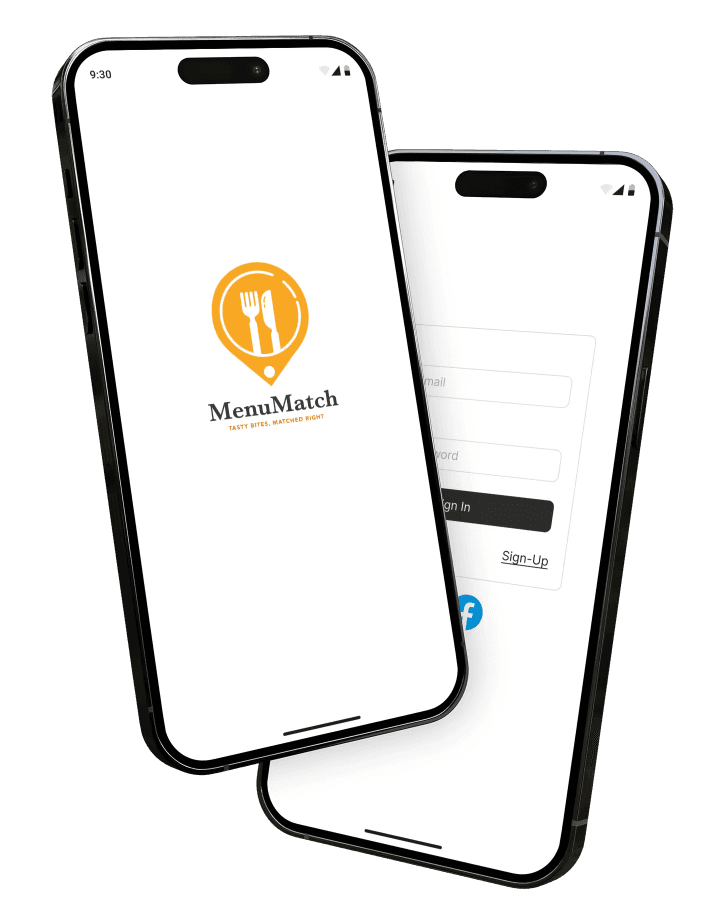
MENUMATCH
ROLE:
Student, UX Designer
SKILLS:
Research, Wireframe, Figma, Miro, Sketching, Prototyping, Information Architecture
TIME SPAN:
Oct-Dec
TEAM:
Jian Bautista
Project Summary
In this academic scenario, I was tasked with creating a company that offers a service and developing an app on the chosen platform for this service. Enter, MenuMatch – an app that provides a service that allows users to find dishes within their budget from different restaurants. Instead of searching for the cheapest Pad Thai at individual restaurants, MenuMatch gathers and arranges dishes from nearby restaurants by price range and rating, offering users flexibility in choosing delicious meals that fit their budget.
Project Brief
Company Info
MenuMatch is a company that finds and matches specific dishes from various restaurants, along with pricing and availability. Their main goal is to find bites that’s affordable and tasty.
Tasty Bites,
Matched Right!

Target Audience
Budget-conscious individuals: Those who want to enjoy eating out or ordering in without overspending, including college students, young professionals, and families.
Busy professionals: Individuals looking for the best meal deals while on the go.
Visitors or tourists: Those exploring a new city who wish to try local cuisine without breaking the bank.
Action
1
Competitive
Analysis
2
Design Dev
3
Info
Architecture
4
Lo-Fidelity
5
Branding
6
Prototype
Conducted a competitive analysis of DoorDash, UberEats, and Yelp to identify strengths, weaknesses, and gaps in their user interfaces and functionality.
Focused on developing features that emphasize cost-effective dining, including search capabilities by price, ratings, and user preferences.
Comparison
Overall Comparison
Likes: All three apps provide restaurant options, ratings, distance information, and business details.
Dislikes: High fees on DoorDash and UberEats, inconsistent delivery experiences, and cluttered UIs with ads and sponsored content.
Design Development
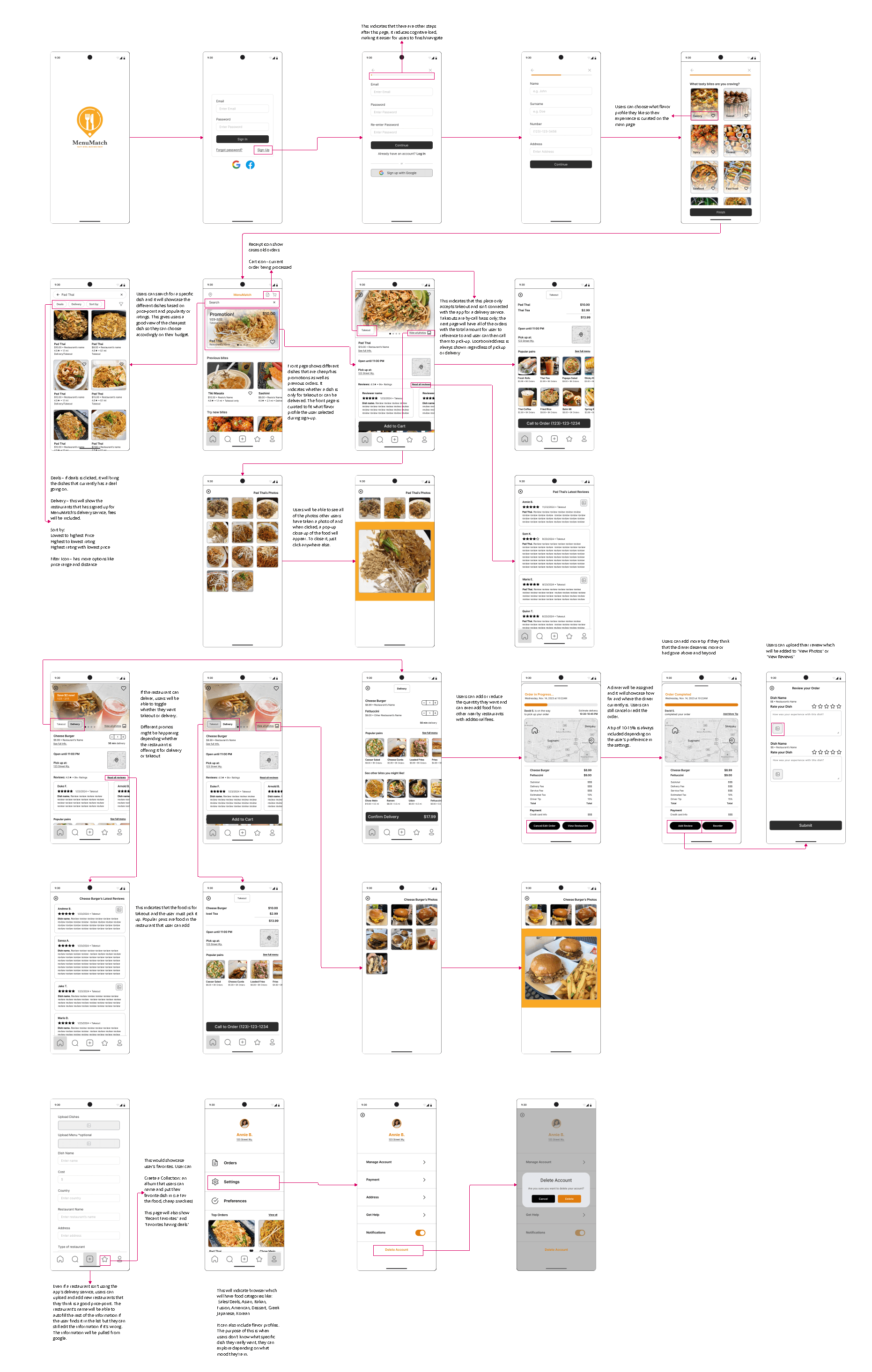
Designed a curated home page based on flavor profiles selected during user sign-up, reducing cognitive load and enhancing personalization.
Integrated user-generated content like photos and reviews to foster community engagement.
Included intuitive features such as:
A filter for price, ratings, and proximity.
Delivery or takeout toggles for convenience.
Prominent deal displays.
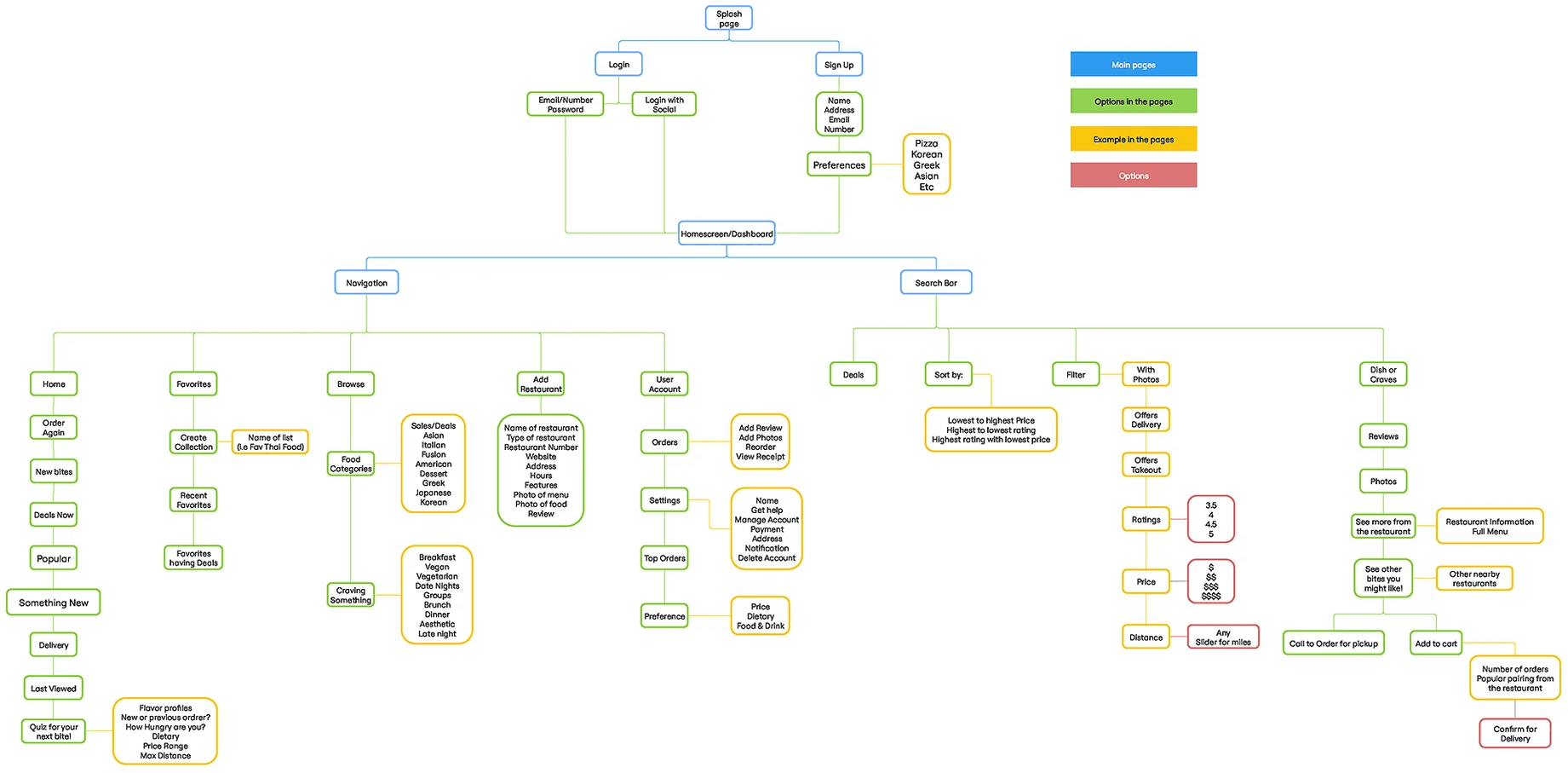
Information Architecture
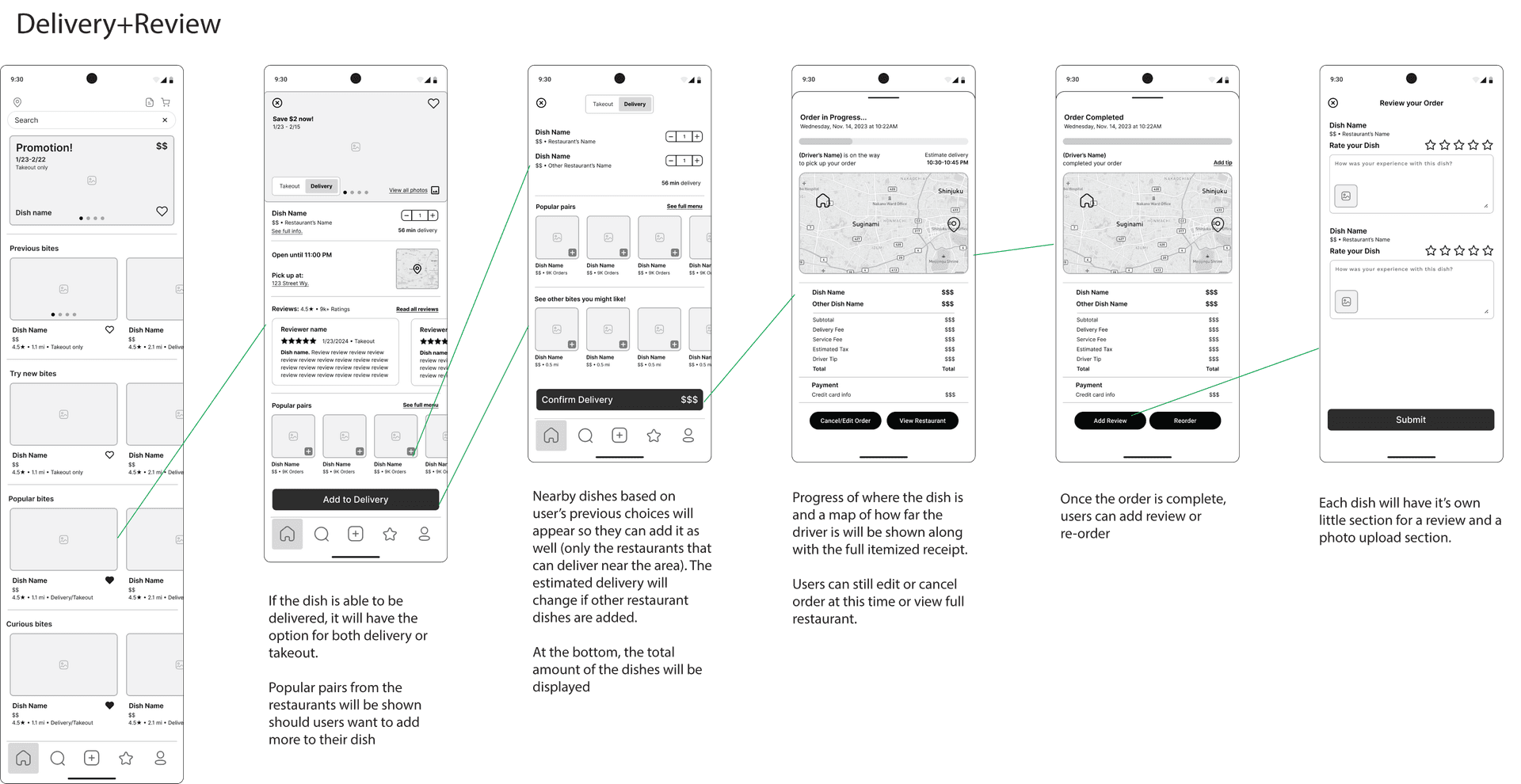
Low Fidelity
Addressed feedback to reduce interface clutter while maintaining access to essential details, such as restaurant delivery options and deal visibility.
Simplified navigation by introducing consistent icons for cart, orders, and receipts.
Branding
I designed this logo to emphasize the essence of dining, food, and meals by incorporating fork and knife icons, highlighting MenuMatch's focus on delivering a delightful culinary experience.
The circular shape doubles as a map pin, representing the app's primary function of connecting users with nearby restaurants and affordable dishes, reinforcing the importance of local discovery and navigation.
To further convey the brand's identity, I chose a vibrant orange color. This warm, energetic tone evokes a sense of friendliness and appetizing appeal, perfectly aligning with the concept of "tasty bites" and affordability.
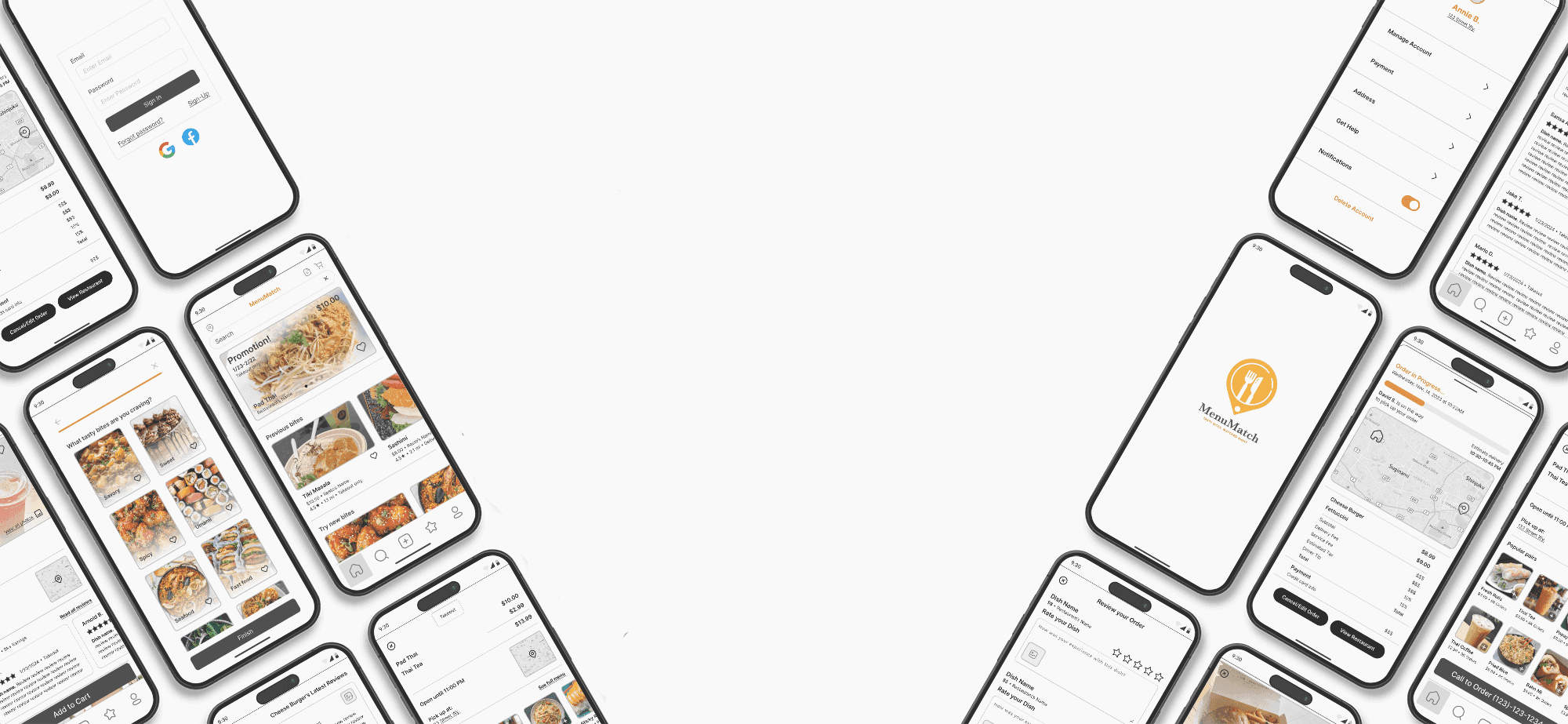
High Fidelity Prototype & Annotation
Results
Enhanced Usability: The design reduced cognitive load through curated flavor profiles and simplified browsing, making it easier for users to navigate.
Distinct Features: Compared to competitors, the app provided unique offerings, such as the ability to filter for lowest-priced options or see deals tailored to user preferences.
User Engagement: Features like user-uploaded photos and reviews encouraged community interaction, differentiating MenuMatch from food delivery apps focused solely on transactions.
Lessons Learned
I learned that budget-conscious dining apps must balance simplicity with rich features to compete with well-funded competitors.
Integrating delivery with independent restaurant options adds value but requires clear communication to avoid user confusion.
I discovered the importance of iterative testing to refine designs that cater to real user needs rather than hypothetical ones.
Balancing creativity with user expectations taught me the significance of prioritizing function over form in UI/UX design.