STRATEGIC PLANNING TOOL • 2025
Prioritizing Organizational Transparency as a Strategic Foundation
ROLE
UX Designer
Team
UX Designer
Senior App Developer
Timeline
October-December (currently being coded by app dev)
Skills
User Research
Product Design
Wireframe/Prototype
Background
Southcentral Foundation’s Nuka Strategic Planning Software helps align employees with organizational goals, supports continuous improvement, builds shared accountability, and makes it easy to track progress and report successes.
Problem Statement
The strategic planning tool had become difficult for users to engage with. The interface was cluttered, the information hierarchy was unclear, and the overall experience felt confusing rather than supportive. As a paid product, it needed to deliver a more intuitive and user-friendly workflow, but users often struggled to understand where to begin or how their roles fit within the system. These challenges highlighted the need for a refreshed, reorganized design that clarified structure, improved usability, and made the tool easier to navigate.
1
Initial Observation
2
Painpoints
3
Personas
4
Ideation
5
Reflection
Research
Initial Problems Identified:
The interface was cluttered and visually overwhelming.
Users found the tool difficult to understand and navigate.
The information hierarchy lacked clarity.
As a paid product, it did not meet user expectations for ease of use.
Users could not easily identify their roles within the tool.
The overall structure needed reorganization to support a smoother workflow.

Painpoints
It took me half a year to get used to the system.
Qualitative interviews with current users provided direct evidence that mirrored our initial research assumptions.
During the interview, one of the SME noted a six-month learning curve to achieve basic proficiency. Even after a full year of use, they reported still discovering core system functionalities, highlighting significant issues with discoverability and cognitive load.
Excessive Cognitive Load: The interface was overwhelmed with information, making it difficult for users to identify primary actions or process key data.
Low Visual Hierarchy: A "clunky" and unpolished UI lacked clear visual cues, resulting in a fractured and unintuitive user experience.
Lack of Contextual Onboarding: Users were dropped into complex workflows without guidance or explanation, leading to high initial friction and user frustration.

The More the Merrier!
After interviewing with the SME's, we realized that creating personas with different needs would be a good solution to reduce cognitive overload and tackle contextual onboarding.
Personas
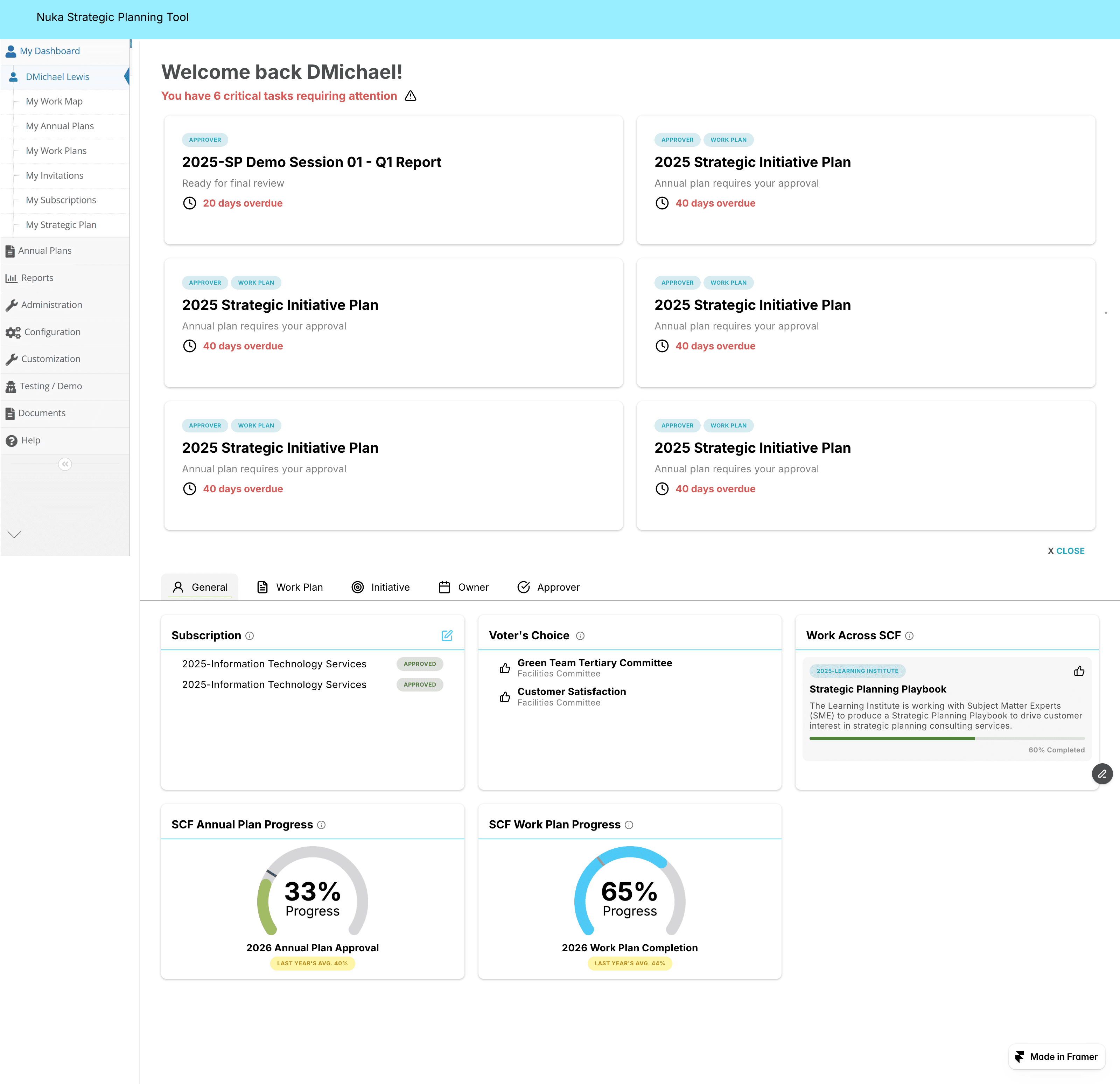
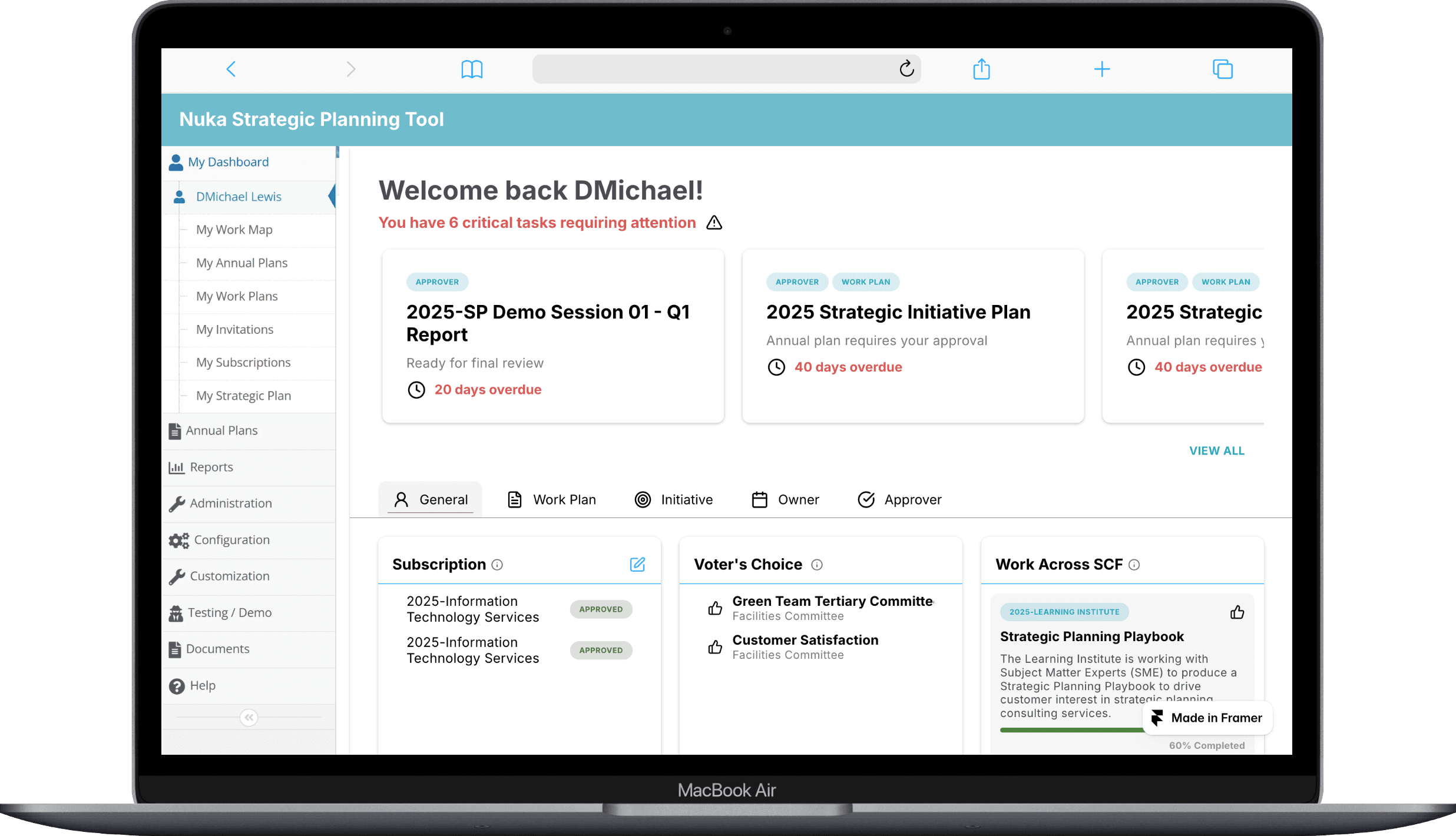
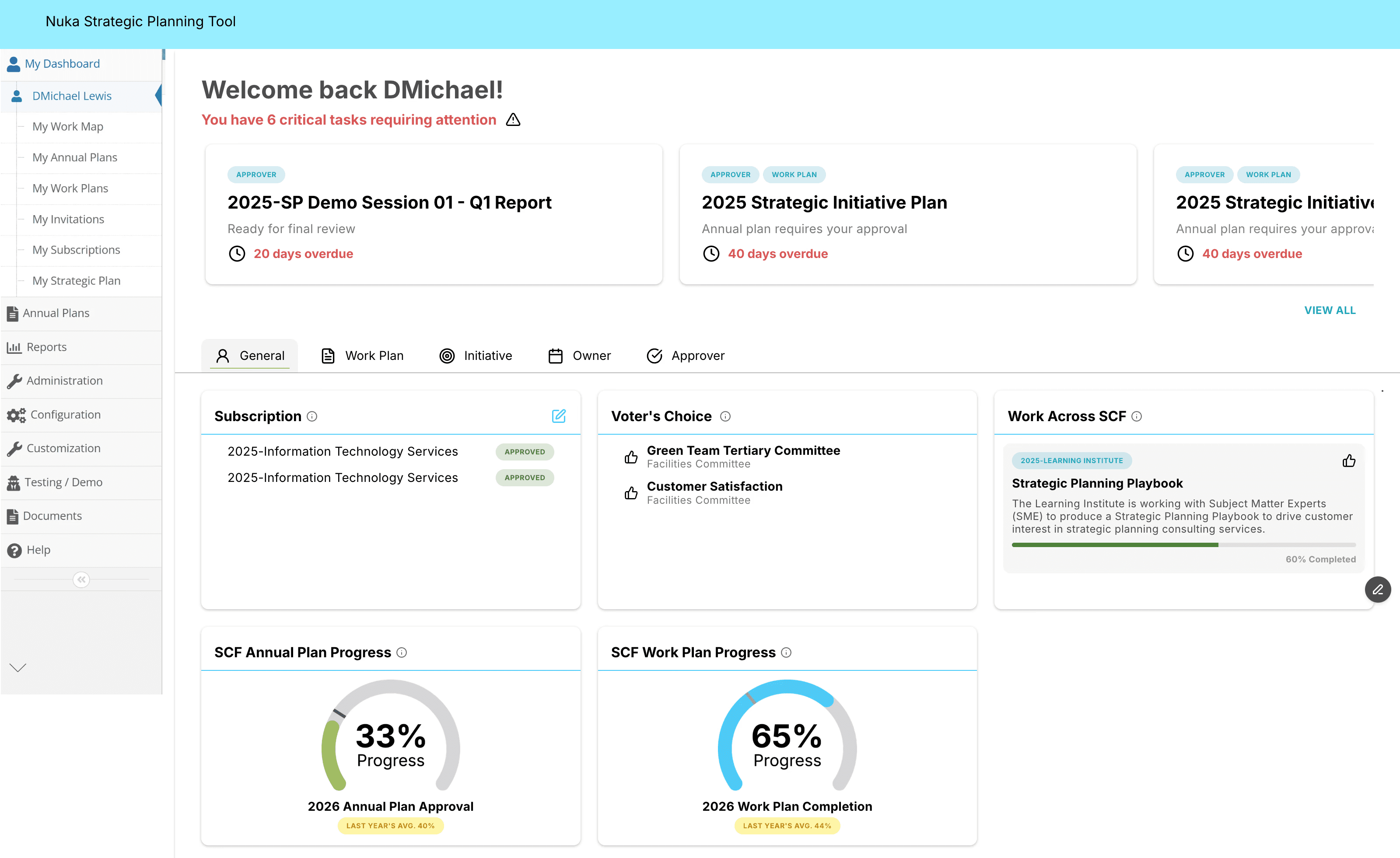
General
“What’s going on?”
All users land on this page first, so it needed to surface key organizational information at a glance.
This section includes:
Organization WP Completion Status
Organization AP % Approved
“Work Across SCF” highlight (name, description, quick Kudos)
User subscriptions
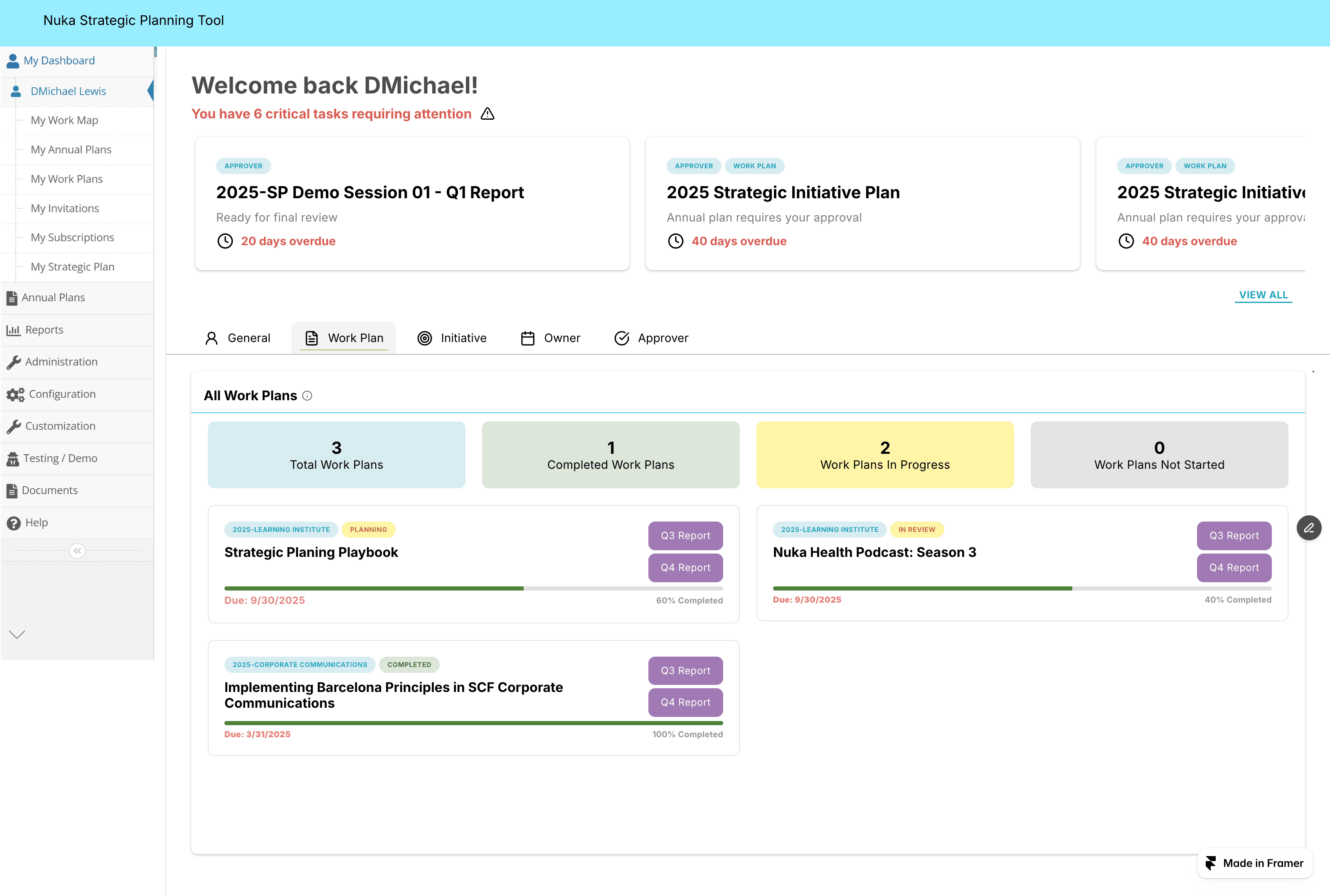
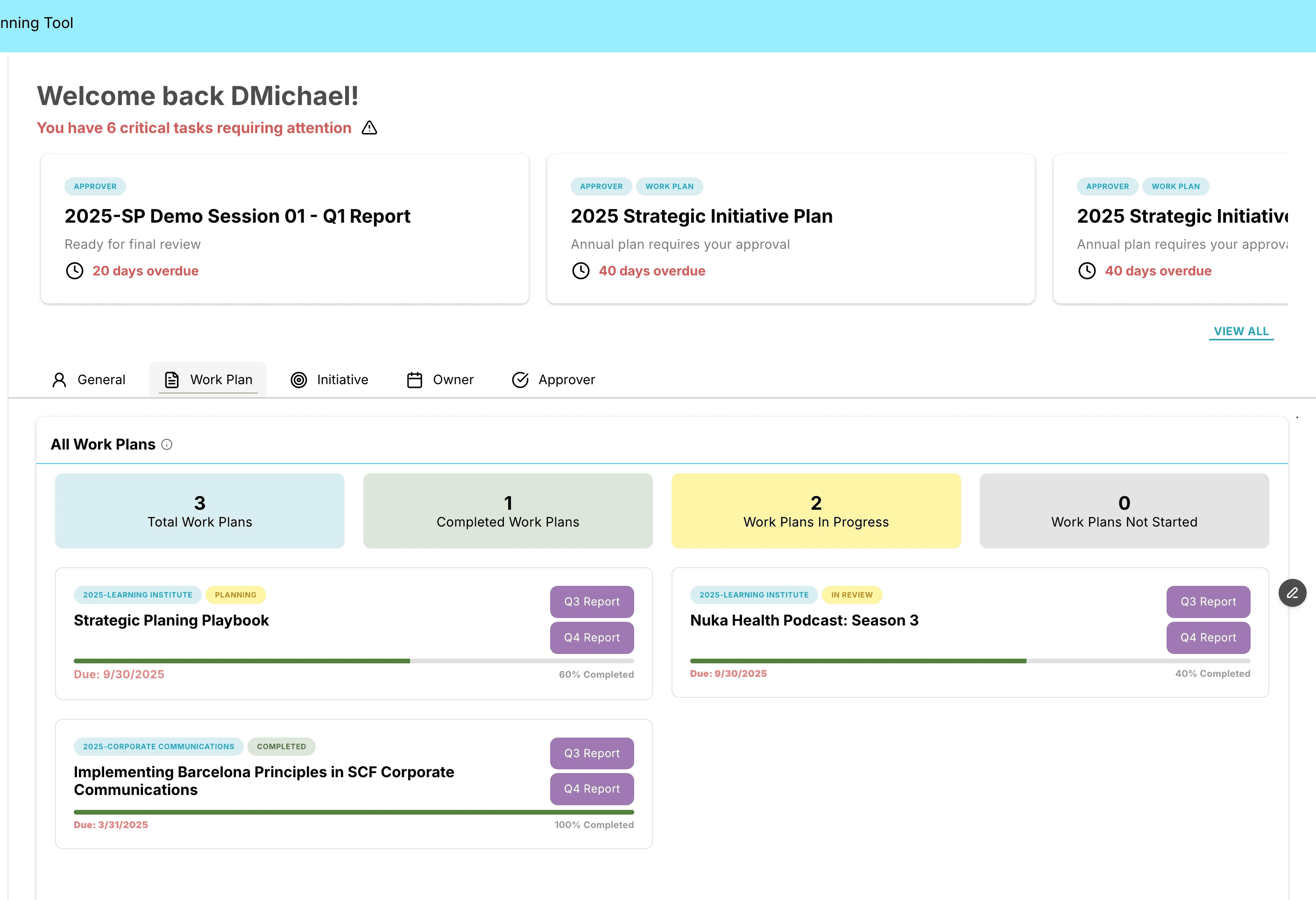
Work Plan
"What should I be working on?"
This section supports users who own specific Work Plans by highlighting upcoming deadlines and overall progress.
This section includes:
Work Plan due dates within the next 30 days
With a link to view all “My Work Plans”
Total Work Plans and status breakdown (Complete / In Progress / Not Started)
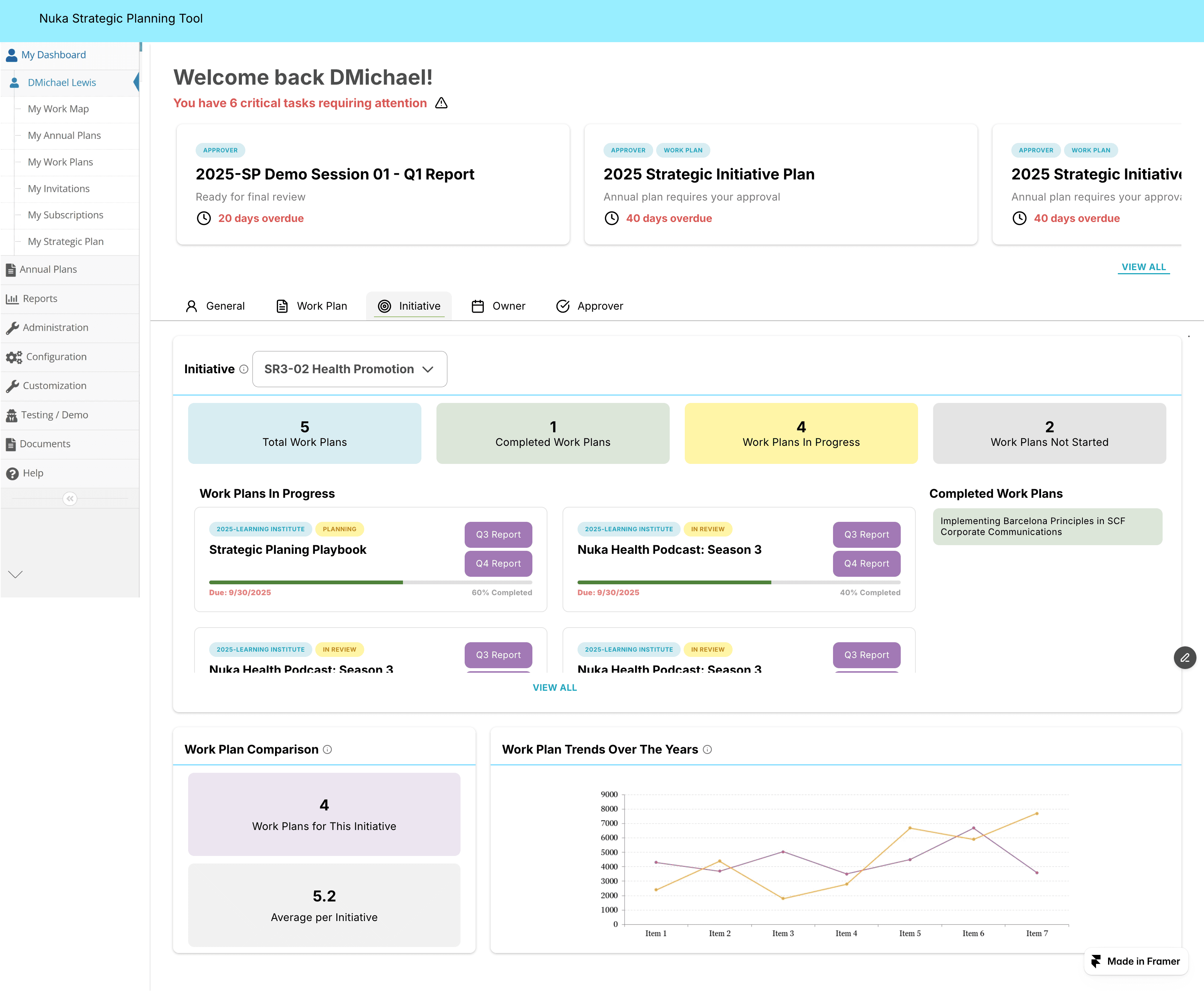
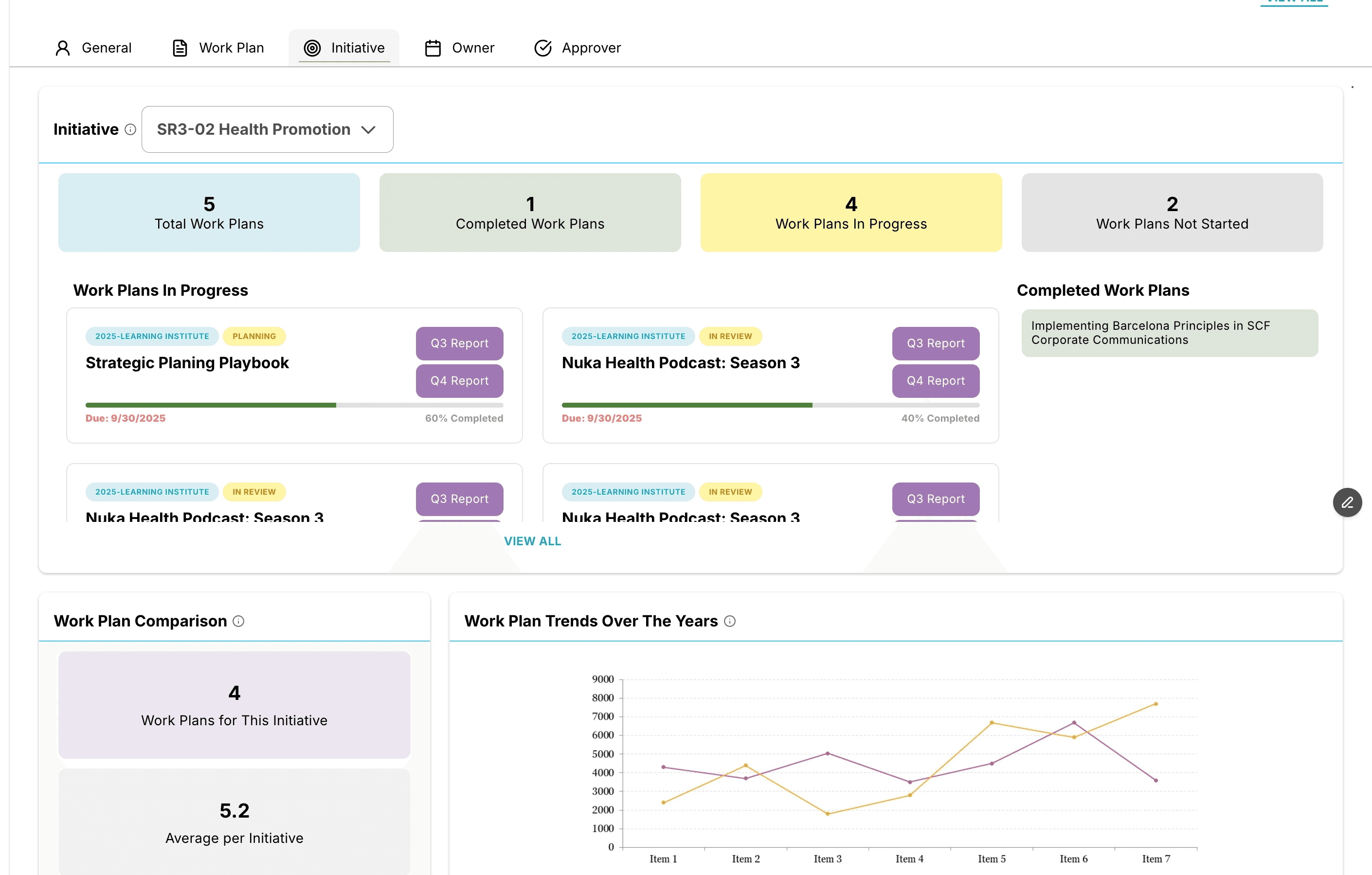
Initiative
“Is adequate progress being made on this initiative"
Each Initiative includes an Initiative Report that gives a quick snapshot of progress and historical trends.
This section includes:
Current-year totals (Complete / In Progress / Not Started)
All-years Work Plan list with % complete and priority
Comparison of Work Plan count to the org-wide average
Line chart showing Work Plan totals over time
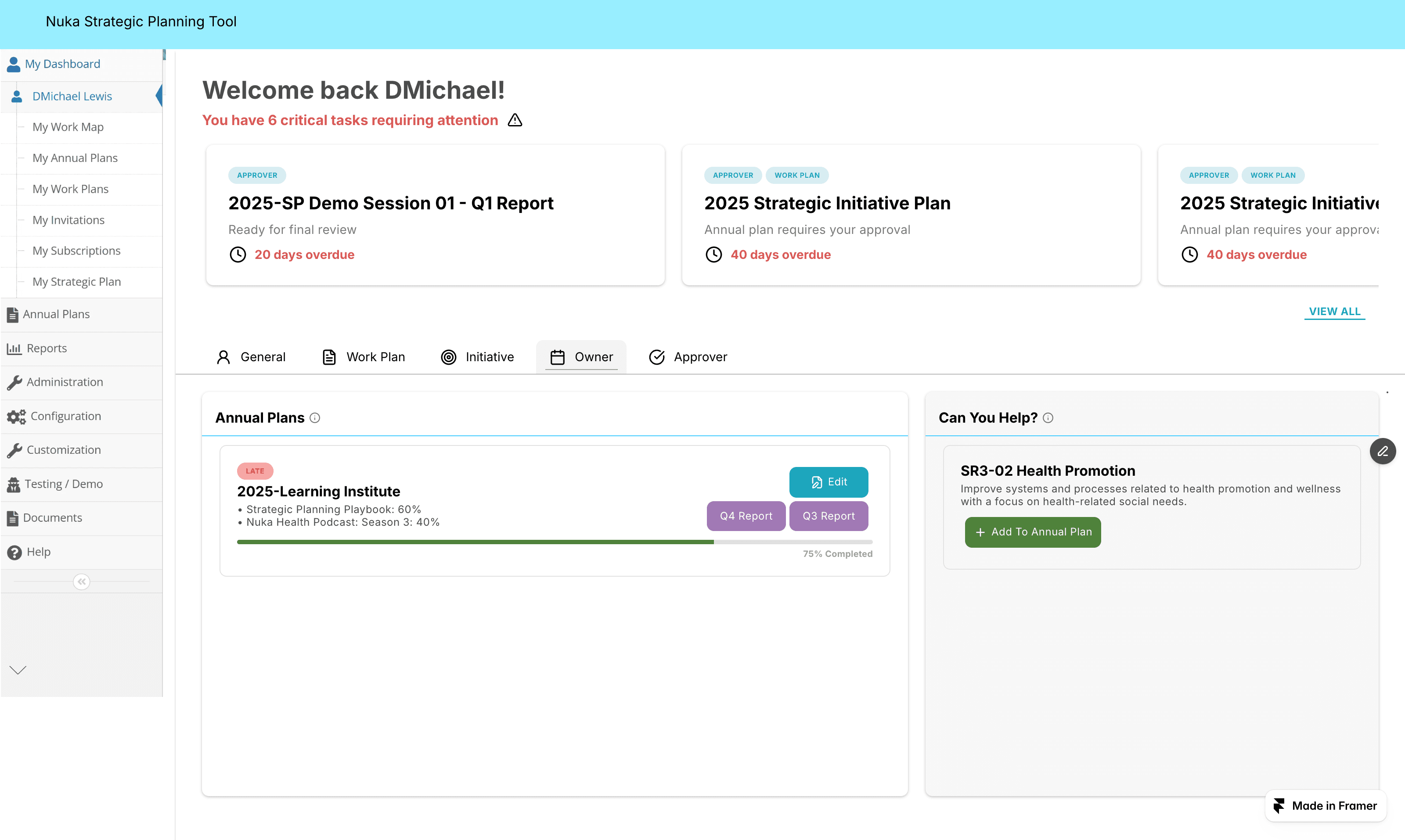
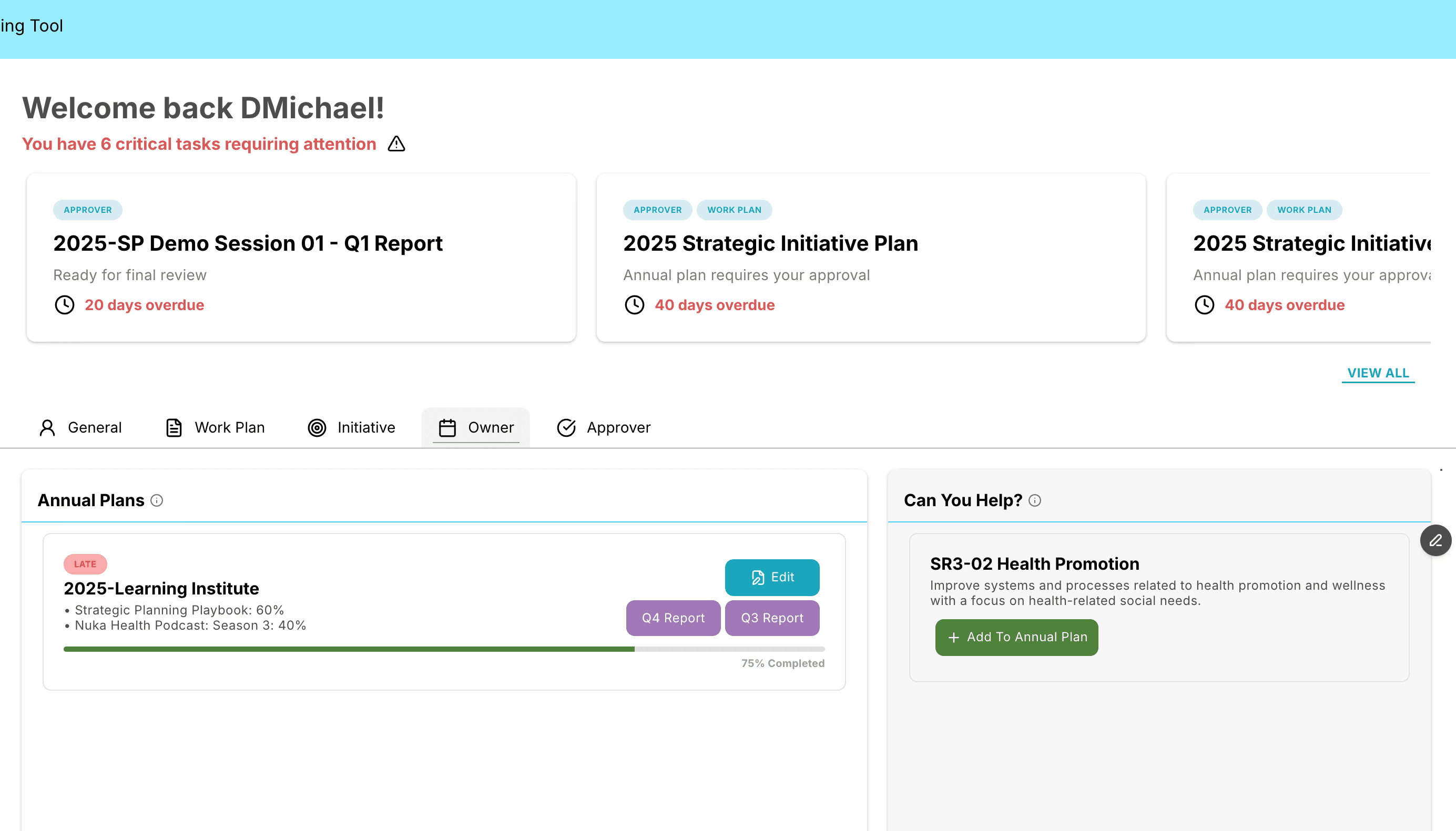
Owner
“Is my Annual Plan ready? If so, how is progress coming on it?"
This section helps users identify gaps in planning and review the status of each Annual Plan.
This section includes:
Initiatives with no work in the current year (based on the last 11 months, excluding the most recent)
With instructions for adding the initiative to a plan
Optional: ability to select a plan and add it directly
For each Annual Plan:
Overall status (late / on time)
Work Plans with names and % complete
QR Report status
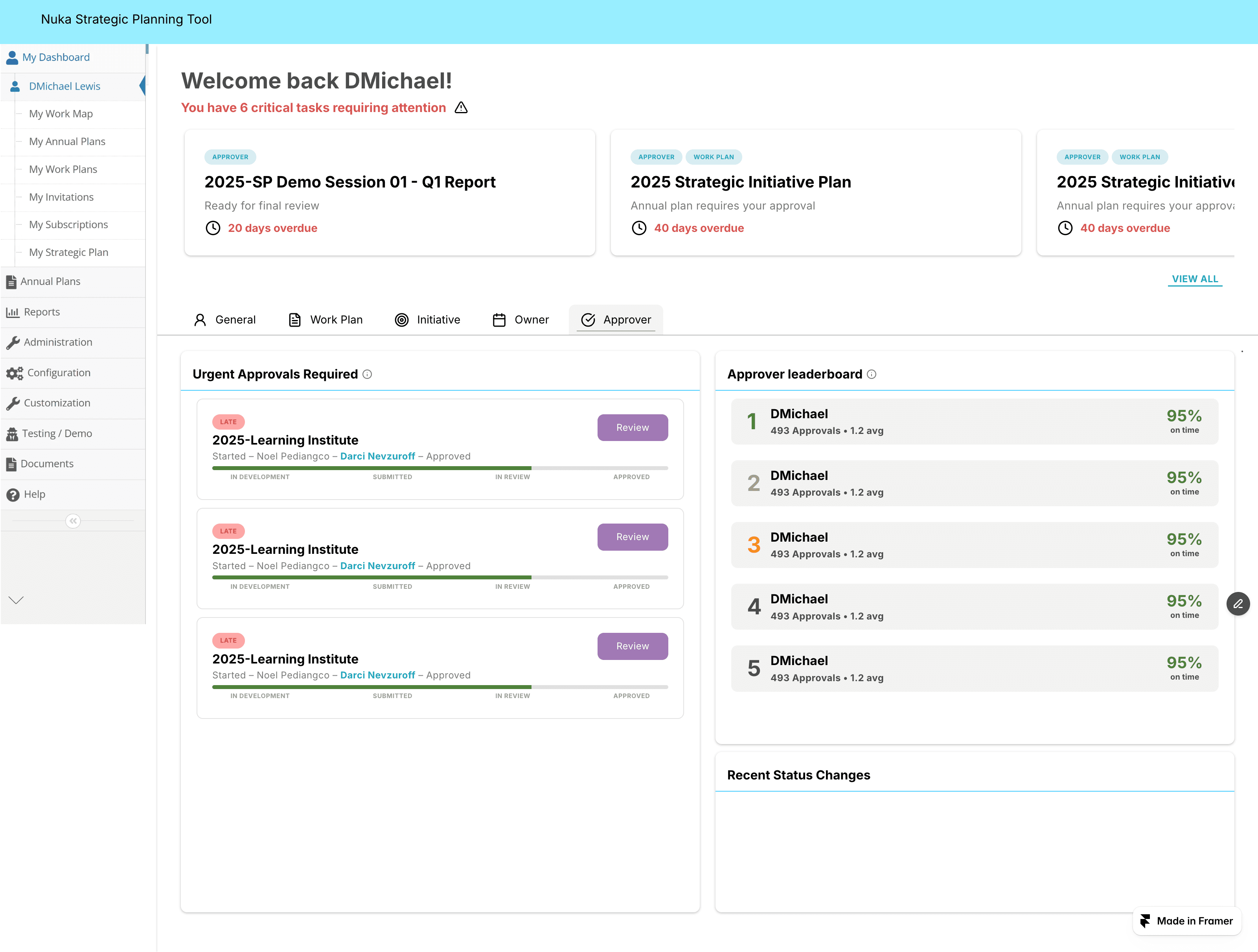
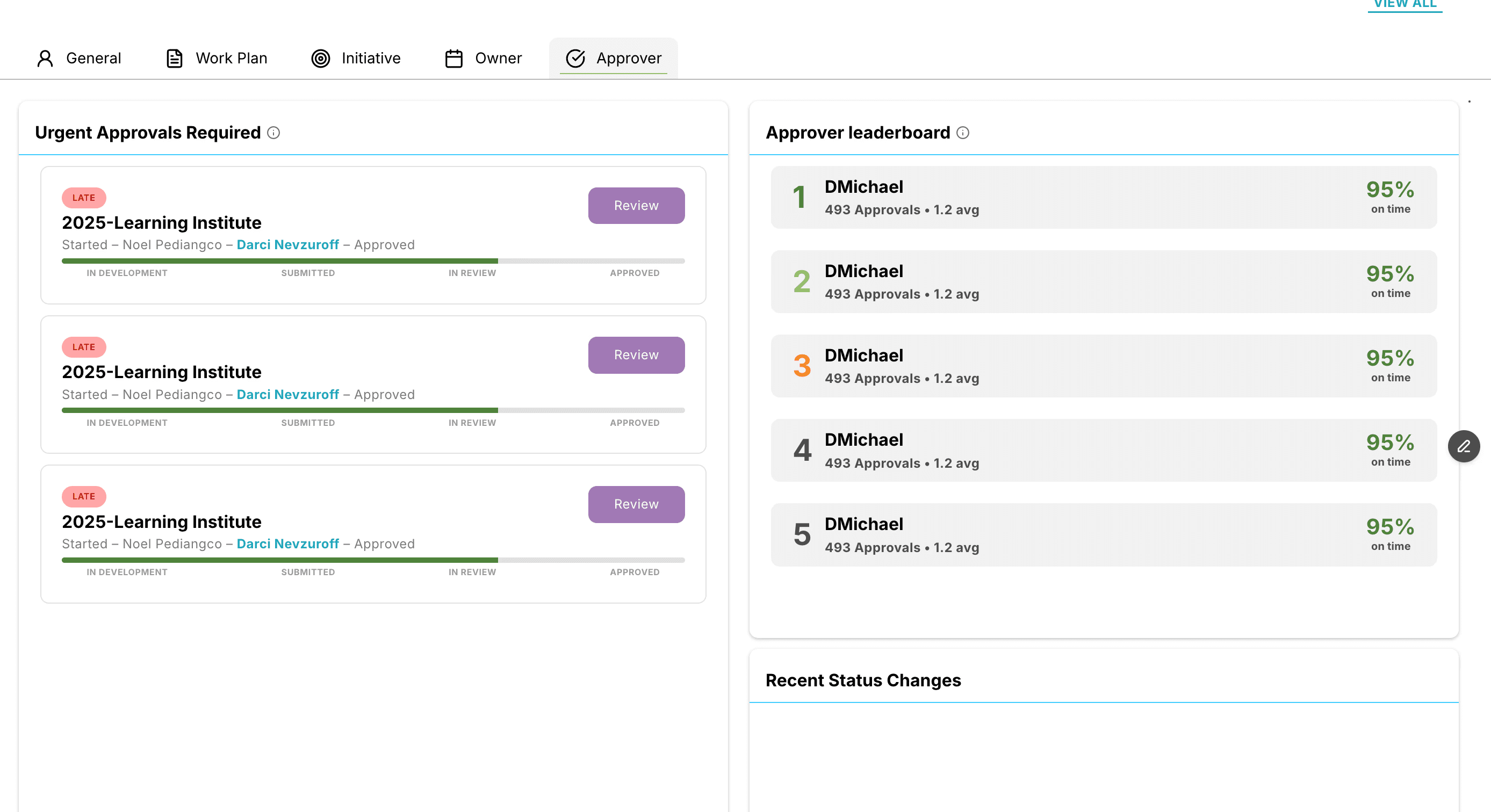
Approver
“What needs attention?”
The Approver view focuses on items needing review and provides a clear snapshot of approval performance across APs and QRs.
This section includes:
Items currently waiting for approval
For the APs I approve:
Status chart (late / on time)
Recent status changes
Leaderboard: Rank • Approver • % Approved on Time
QR Status:
Status chart (late / on time)
Recent status changes
Leaderboard: Rank • Approver • % Approved on Time
“Highlights” section with recent QR accomplishments
Ideation/prototype
I developed mid-fidelity prototypes to test core layouts, transitioning to high-fidelity designs once stakeholder approval was secured. Following a final round of SME and user feedback, I iterated on the designs to produce the refined prototype shown below.
Key Design Requirements:
Accessible, User friendly, Intuitive, Visual Breaks.
General
Work Plan
Initiative
Owner
Approver
Reflection
What I learned
User research needed another round.
Recognizing that the development team’s perspective differed from that of the daily end-users, we identified several nuanced requirements during the initial phase. To capture these missing edge cases, I’ve proposed a post-soft-launch feedback cycle with a broader user cohort to further refine the experience.
A much needed redesign
The design presentation was met with overwhelming enthusiasm; in fact, users were so thrilled they sent coffee gift cards to the team as a gesture of appreciation. This reaction underscored a significant, long-standing demand for a redesign